

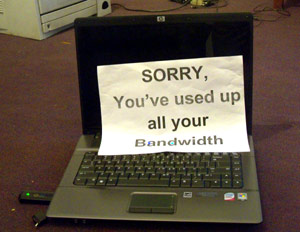
 For our mobile broadband needs at Techzim, we currently use Telecel, Africom and Econet. We use them it that order – a price order. Telecel is the cheapest. Well, free actually at the moment. If the Telecel line starts acting up, I plug in the Africom dongle which costs US $18 for the first Gigabyte, and 11 US cents per megabyte thereafter. If there’s no joy with both Telecel & Africom I fall on the connection of last resort, Econet broadband, which costs US $98 for a Gigabyte of data.
That’s how expensive a commodity internet bandwidth is in Zimbabwe.
With this in mind, we imagine a lot of people would like to save the little bandwidth they can afford. We also imagine there are thousands of people out there who find their bundles mysteriously used up even when they “haven’t used the net THAT much”.
We list below, a few bandwidth saving tips. We know some readers have even more tips. If you’re such a reader, please add in your tips in the comments. We’re going to assume you use a Windows machine here because that’s what most people use, and also because if you’re on a Linux box, chances are you‘re a savvy enough and don’t need us lecturing you on this.
Here goes:
– Where it’s practical, use a mobile phone. Mobile phones don’t have as huge an appetitive for downloading stuff as computers and laptops do. PCs love getting stuff from the internet. Whenever they sense a live connection, they try to make the most out of it, most times without notifying you what they’re up to until whole files have been downloaded. Mobile versions of websites also usually have a smaller megabyte footprint.
– A notorious bandwidth hog but ironically the most useful utility on your machine is the Windows Automatic Updates tool. Automatic Updates doesn’t know your bandwidth is expensive. It’s always actively looking for security updates to download and patch your system. Turn it off, but don’t forget to manually get the updates through some other means. An IT guy you know maybe. Once you turn it off, Automatic Updates will not stop warning you that you’re at high risk. Ignore it. But again, make sure you get those updates through some other means.
– Stay free of malicious software (viruses, spyware, worms, adware etc…). Get a tech savvy someone to help you get clean if you suspect you’re not. Get rid of those waterfall wallpapers you downloaded from the net. If they won’t come off, get a geek to help out.
– Make sure you know how your Antivirus software get’s updated. Most anti-virus software automatically download updates from the Internet so they can keep you protected. Disable this if possible and again, make sure you get updated. Be nice to you your IT guy at work and ask him to give you the updates on a flash drive.
– Uninstall all software you don’t use. For example, while writing this, I just checked my PC and noticed I don’t really use Google Desktop Search anymore. I don’t have any use for it right now so I’m uninstalling. I’ll install it again when the need arises.
– Know that a lot of software assume you are connected and you’re OK with them automatically downloading software updates from the internet without notifying you. Check the settings of your programs to ensure this is not happening. Internet browsers, media players like iTunes, background software like Java, utilities like Adobe Reader, and many other such do this.
– If you can, get yourself a bandwidth monitor. Just make sure it’s not laced with spyware & adware. Getting it from an IT guy you know is best. I don’t use a bandwidth monitor myself but I’m sure there are a hundred good ones out there.
– Torrent and peer to peer based software consume loads of bandwidth. If you need to save bandwidth, just don’t use them. Luckily, your PC most likely came with none, but if some teenagers in the house have used it, you might want to check for such applications and remove them.
– Spend as little time as possible of video and picture sites like YouTube, Flickr and Facebook. Also, where it’s practical choose to use lower resolution videos and pictures; the higher the resolution (or definition) the bigger the megabyte footprint.
– Have just a little understanding of what the terms megabyte, and gigabyte mean. Also have some basic understanding of how much bandwidth different types of internet content consume. Here’s a short guide:
| Content Type | Size in Megabytes |
| Google Homepage | 0.15 |
| Facebook Page | 0.8 |
| Song download | 5 |
| Short video clip | 20 |
| VCD Quality Movie | 700 |
| High definition movie | 4000 |
A final quick tip for those of you who don’t mind using the Windows command prompt: to quickly check which applications are using your internet at any time, just go to the windows command prompt utility (Start à All Programs à Accessories à Command Prompt) and type “netstat -b”. It will list all programs connected to the internet.
Like we said at the beginning of the article, if you have a tip we didn’t include here, just share it in the comments below.
 Share
Share Home
Home
22 comments
if you are really bandwidth concius, you can turn off images altogether, lol. Its a lot faster,
Here r a few tips for those with java enabled phones:
1. Use Opera Mini browser for yo phone. It can be downloaded for free at http://www.getjar.com/mobile/3334/opera-mini-web-browser/
The programmers behind this browser understand that u have othe…r uses for yo cash other than 4 airtime. So they optimised the browser to use less MBs.
2. After installing it DISABLE IMAGES. U probably dont need them especially if u like commenting and posting on facebook. u can enable the images temporarily if u want 2 see a specific pic. Just by disabling images yo $1 bundle can last up to 5 times more(that means if u used to spend $1 on the net in a day u will probably be able to use it for 3 – 5 days)
3. Opera Mini also allows u to save web pages on your phone. this means that u dont have 2 revisit a page again online, u can just view it in your saved pages.
4. Use Gmail 4 yo email. When you visit their site on the phone u have an option for faster gmail. follow the link and download the java app. Once u have logged in to yo account dont log off. to leave the email app just terminate using that terminate button(usually red with a crossed ova phone icon). If u want to read yo previous emails dont allow the app the connect to the internet. U will still be able to read emails which were available on yo last log in.
5. For those who want internet 24/7 on their PCs get the Powertel modem. it costs $60 and $50 4 monthly subs. Its the cheapest option at the moment
great tips! thanks for taking the time to share.
..and turn your browser into an e-newsletter.lol..great tip!
Hi. Some of the tips you said like disabling Windows update dont really work because believe it or not microsoft will force download the ‘critical” downloads to your machine!! But I’ve found the ultimate way that has me now saving 50-100mb a day! Its a bit technical but once you get it right, you can leave your connection on for the whole day without it eating a single Kb. Btw I use windows 7.
1. DISABLE Windows update/time/defender PERMANENTLY! How:-
i.) Ctr+Alt+Del >> Start Task Manager
ii.) Click the tab that says “Services”
iii.) Click the button at the bottom with the security shield that says “services”
iv.) Scroll down to the bottom and double click the ”Windows update” Service. Where it says start up type click ‘Disabled’
v.) Repeat step iv for the ‘Windows Time’ and Windows Defender’ services because these programs constantly synchronize and download from the internet.
vi.) Restart your computer and see if the services stay disabled (if not try clicking stop first then Disable)
2. Now here is the most important one that can save you upto 70% of the bandwidth you use surfing the internet.
>>Download Opera 11 browser for windows. (7mb)
Activate the “Opera Turbo” feature. What this clever service does is that it compresses webpages before they get to your computer meaning faster download page load times aswell as less mb used. (Please read the full meaning of this service on the Opera website/help files)
You can turn off images in this browser for specific sites aswell allowing you more freedom to choose which sites display what.
And lastly like what the Techzim guys said just make sure you turn of automatic updates in all those other applications you have on your machine…e.g. adobe reader update, java update. If you see these programs updating and cant press cancel (java) then go to the task manager and click on the “Processes” tab. Locate the culprit application and then click End Process. This should turn it off- Untill the next restart!
And another tip I advise since these days most people are using laptops is to just close it and let it go to standby -Dont shut down!.This’ll help you maintain the above settings without having to redo them every couple of reboots. And contrary to common belief not shuttting down your laptop i.e leaving it in standby/hibernate is not bad for it because they’re now designed for speed and convenience without having to wait for the whole boot process to commence.
I hope that theses steps help in more bandwidth saving as they did for me.
Oh and I forgot to mention that although Opera Turbo is amazing it does have its glitches but they are so easy to pass and worth the saved Mb (especially on facebook). (You can see how many Mb you saved in a session by clicking the turbo sign on the address bar!)
1. Major glitch is that it may say “”Bad Request” when you click on some links. All you have to do here is click on the address bar and press enter.
2. Second glitch happens with some web-pages with heavy flash content such as Flight booking pages. For these type of pages I use Firefox though I will see a significant increase in guzzling of my bandwidth.
And lastly if you wanna keep an eye on how much data is going in and out of your computer since you last connected: Click the little computer screen in the right corner of the task bar. Then Right click your internet connection and click status. If all went correctly and your now using opera, when all the webpages have completed loading there should be no activity on the Sent and Received numbers until you load another webpage.
Couldn’t have said it better! thanks hey.
i was having problems with my computer eating up bandwidth but i then downloaded a firewall it helped
This is nice sharing guys, Kudos to Kabweza and company, my dollar will go a little longer.I like the advice from Kabweza, lets share the updates on flash sticks (i call it community optimisation)
It’s unfortunate that in Zimbabwe we are forced to be bandwidth conscious at a time when internet prices in most parts of the world are tumbling down. For some us rummaging through one’s software trying to figure out which applications are hemorrhaging bandwidth is not only time consuming but spoils the online experience altogether, especially if I have to make compromises on videos, image laden sites etc.
For those of who use computers at home and don’t want to be bothered about which mischievous software hops onto the internet without my knowledge, it may be worth your while to consider the Linux operating system. The operating system is free to download and comes with a web browser, office productivity tools, etc out of the box. Linux was built on a secure platform from the ground up and malware, viruses and trojans that afflict Windows machines are virtually ineffective on linux computers. You don’t need to waste money buying anti-virus software at all. Install and you are good to go. For newcomers who want to try linux, I would recommend Kubuntu or LinuxMint. Linux has a graphical interface an ordinary Windows users would be familiar with. There really is no reason to try it out. And their are no applications that launch themselves onto the internet without your say-so.
Some of the recommendations above while sound may need to be adopted with some caution. Disabling automatic updates on windows may save you some bandwidth but it also exposes to security vulnerabilities. Your machine can easily be infected by a botnet. A botnet is a malicious program that listens for instructions from a master computer on the internet to launch attacks on other computers without you even knowing knowing it. Only to have the American FBI knock on your door and question you about attacks coming from your computer. Consider LINUX!
Ehm … don’t disable automatic updates. Ever. They’re there for a reason, and stopping the service leaves you vulnerable. Yes, vulnerable to attack. If you’re not scared of Windows security issues, you should be.
Yo!Africa host a Windows Update Server on their network. It downloads the updates from Microsoft, and acts as the update server when your PC looks for them. This saves you (international) bandwidth and is much faster.
Of course it’s much faster if you’re on Yo! but will be a much cheaper option for … anybody.
Actually, it’s for Yo! customers only, or people on the Yo!Africa network, including at ChilliSpots etc.
hi people. i think it will be more bandwith saving if you migrate to linux, i’m a linux user myself and installing opera on any linux box will work wonders for u, not only is linux software checked thoroughly for malware, that is if obtained from the OS REPOSITORY, no app uses ur bandwith without your knoledge and onother browser with is really fast and efficient if you’re much of a news reader is links2 it’s text based and loads little graphix. you can add ur requests regarding about anything about internet connectivity especially how to configure CDMA modems on a linux box especialy the following OS’s on my youtube page and i get it done for you… and don’t forget to use ads blockers on your browsers if you are using a computer coz the chew bandwith too
I disagree. Automatic Updates and antivirus definition updates are the chief culprits when your megabytes are getting eaten up. It does make the computer seriously vulnerable and that’s why we recommend above (3 times) that users should ensure they get the updates through some other means.
Updates on Yo servers don’t come cheap for users of mobile broadband provided by Africom and Econet. The two providers don’t care if you’re using local content.
ZOL also provides local updates on their servers even for non-ZOL customers. but again, if you’re on Africom or Econet, the difference is just not there.
Yo guys, download snaptu mobile browser from getjar site. Also updates, definations and small files can be downloaded from an internet cafe unto a flashdrive. Hey, also if anyone of u is wiling to do systems enginering through microsoft get it touch with me at elviischims@yahoo.com. Wil send u free! Take care guys
Those people so against stopping windows updates shouldn’t think its the end of the world! I run a music company and if you recall a while back there was an update on windows vista that caused it to go into a continuous reboot cycle!…This stopped business for 2 days and cost me hundreds of dollars because of missed deadlines. Also if you think that your computer as a whole will be vulnerable when stopping winupdates – think again. If you actually took the time to read the update description you’ll find that they fix vulnerabilities in Internet explorer most of the time and only provide ”performance” enhancements for the pc that seem to just clog it and slow it down even more. So the solution would be to get firefox or opera to eliminate the stupidity of Internet explorer makers and to get a light antivirus that only takes about 300kbs a day to update e.g. eset smart security.
…back to basics question…Why does anyone be penalised for updating one’s anti-virus programme,these companies should be dishing out prizes to anyone willing to update!…Zim never ceases to amaze,thats for sure!…incidentally,Powertell were on a trenching frenzy in my local Marondera town recently,Mr Kabweza,any news when we are likely to receive service from same?…can’t wait for Telecel either…just too eager to give Econet the boot forever,they are chancers and too crude!…
firefox with adblock plus addon will save time and money.it blocks flash adds and hence the page loads much faster.on another note if you download alot try orbit download manager.it somehow managed to increase my download speeds on powertel by a couple kbs.try it and you’ll be surprised
how are the speeds on telecel
Mr kabweza when powertel launches its broadband services in mutare will they be covering the whole of mutare or its going to be working in areas near the cbd only. Are there other companies offering affordable broadband services in mutare.
what is telecels acess point network for gprs my sister got a msg that she was on the trail but she hasn’t recieved the settings her line also shows the gprs sign
We’l contact PowerTel to find out hey.
Other Services providers in Mutare? that should be Africom & Econet